
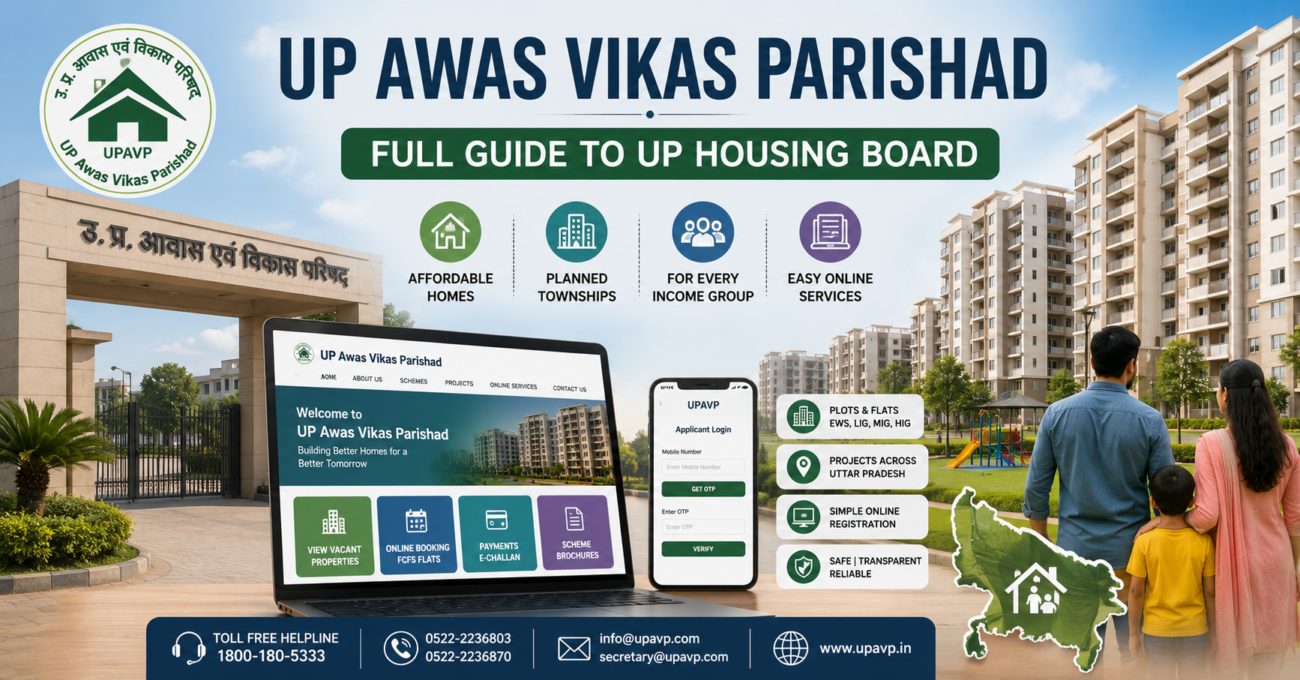
A safe and affordable home is a common goal for families across Uttar Pradesh. The UP Awas Vikas Parishad has worked for decades to make this goal achievable for everyday citizens.
This article covers the structure of UP Awas Vikas Parishad, its major housing schemes, and the process for online registration. It also explains how to complete UPAVP login, find contact details, and check available property lists.
Understanding UP Awas Vikas Parishad
UP Awas Vikas Parishad is the official housing and development authority of Uttar Pradesh. It was created to plan and construct residential units for people across income groups.
The board operates under the direct supervision of the Government of Uttar Pradesh. Its main goal is to provide affordable housing options to citizens across the state.
Key highlights of the organisation include the following.
- It functions as a government body under the UP state administration.
- It builds homes for EWS, LIG, MIG, and HIG income categories.
- It develops complete townships with schools, parks, hospitals, and civic amenities.
People often refer to this board by different names. Common terms include UP Awas Vikas Parishad, UPAVP, or simply UP Awas Vikas.
Housing Schemes Under UP Awas Vikas Parishad
UP Awas Vikas Parishad runs several housing schemes for plots and flats across Uttar Pradesh. These schemes target different budgets and different city locations.
The table below lists the long-running scheme categories and their purpose.
| Scheme Name | Purpose |
| Grihsthan Yojana | Provides planned residential accommodation units |
| Punarvas Yojna | Resettles families from slums and old settlements |
| Malin Basti Sudhar Aur Nipatan Yojna | Focuses on slum improvement and clearance work |
| Bhumi Vikas Yojna | Prepares raw land for future housing projects |
Apart from these older schemes, the board also runs newer city-based projects. The table below covers the popular ones.
| Project Name | Location | Highlight |
| Avadh Vihar Yojana | Lucknow | Flats and plots near Amar Shaheed Path |
| Vrindavan Yojna | Lucknow | Large township spread across multiple enclaves |
| Everest Enclave, Ganga, Yamuna, Hindan Apartments | Ghaziabad and Lucknow | Ready-to-move flats |
| Aravali Enclave | NCR belt | Ready-to-move project |
These projects come with different unit sizes and price brackets. This variety helps both first-time home buyers and property investors find suitable options.
Lucknow Head Office and Contact Information
The central office of UP Awas Vikas Parishad is located in Lucknow. This office manages policy decisions, scheme approvals, and citizen grievances.
The table below lists the office address and all contact channels.
| Detail | Information |
| Office Name | UP Housing and Development Board, UP Awas Evam Vikas Parishad |
| Address | 104 Mahatma Gandhi Road, Lucknow, Uttar Pradesh, Pin code 226001 |
| Toll-free Helpline | 1800-180-5333 |
| Landline Numbers | 0522-2236803, 0522-2236870 |
| info@upavp.com or secretary@upavp.com | |
| Official Website | https://upavp.in/ |
This Lucknow office complex handles broader policy matters. It also manages scheme design work and allotment approvals for various projects.
Official Portal of UP Awas Vikas and Its Features
The website https://upavp.in/ serves as the central digital hub for UP Awas Vikas Parishad. Citizens can access most housing related services from this single portal.
Through this official site, users are able to do the following tasks.
- Browse vacant properties along with detailed project information.
- Complete online booking of flats under FCFS and other running schemes.
- Pay monthly or quarterly installments and generate e-challans instantly.
- Download scheme brochures along with complete eligibility guidelines.
Certain functions are handled through additional linked domains. One example is https://upavponline.in/, which supports FCFS flat booking in Lucknow and other cities.
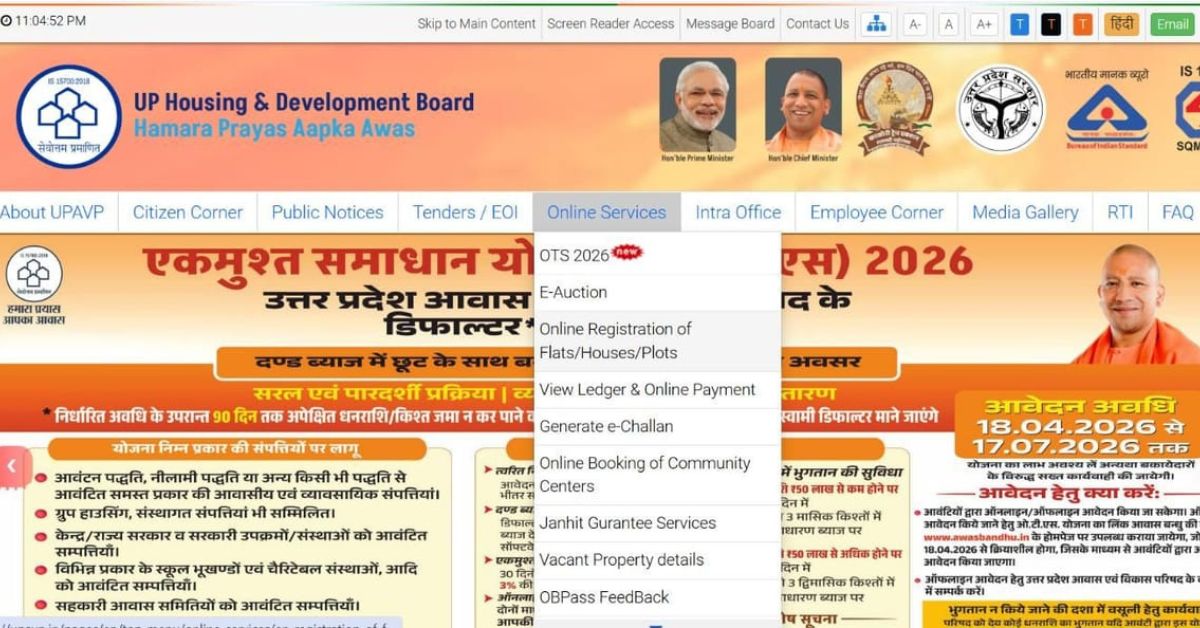
Steps to Complete UP Awas Vikas Login
Most online services on the portal require a valid UPAVP login. The login process is designed to be simple for first-time users as well.
Follow these steps to complete the login process.
- Open the main portal at https://upavp.in/ or the applicant login page at https://upavp.co.in/login.
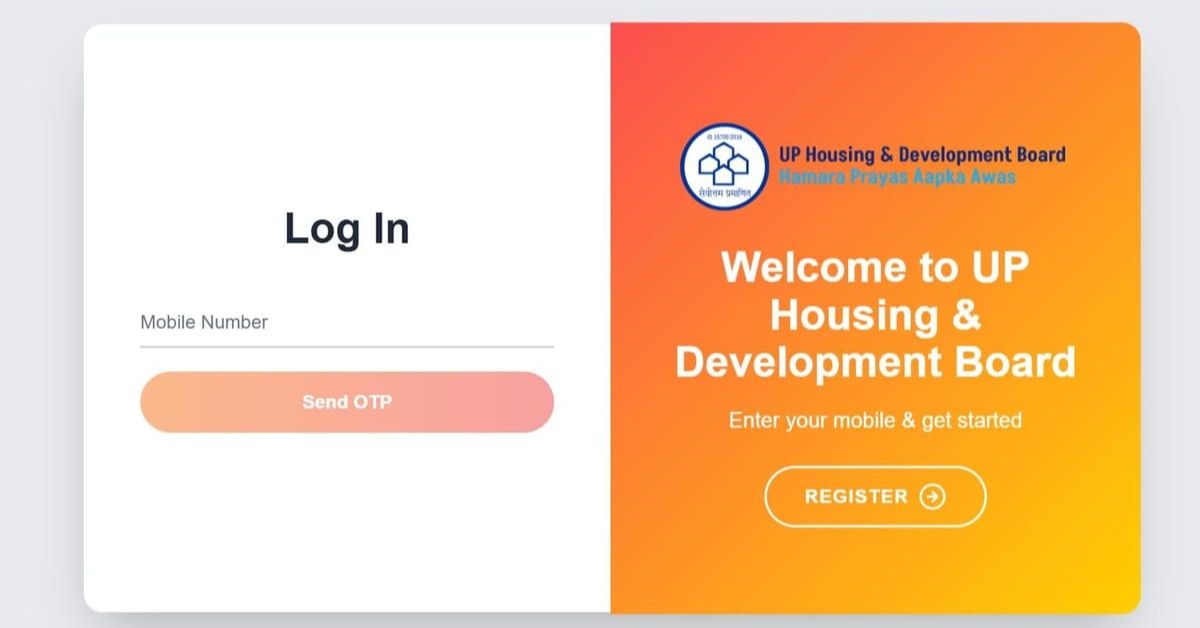
- If you already hold an account, proceed directly to the sign-in option.
- Enter your registered mobile number in the given field.
- Click on the “Get Started” or “Send OTP” button.
- Check your phone for the one-time password sent by the system.
- Enter this OTP in the verification box and click “Verify”.
- Once verification is complete, your UPAVP login becomes active.
New users need to register before attempting to log in. This is done by selecting the registration option on the same portal.
Some housing schemes allow a quick one-time mobile login for registration. Other schemes may also ask applicants to set a password and complete a profile.
Important Online Services Offered by UP Awas Vikas
UP Awas Vikas Parishad offers several online services through its digital platforms. The table below summarises these services and where to access them.
| Service | Access Point | Purpose |
| Main UP Awas Vikas portal | https://upavp.in/ | View schemes, vacant units, and public notices |
| Applicant login portal | https://upavp.co.in/login | Login using mobile number and manage applications |
| FCFS flat booking | https://upavponline.in/fcfsonl/ | Browse and book ready flats on first-come basis |
| Scheme documents | Site Content section on upavp.in | Download residential and commercial property lists |
These digital tools reduce the need for citizens to visit government offices in person. Most application and payment steps can now be completed online.
Application Process for UP Awas Vikas Schemes
Applying for a UP Awas Vikas Yojana plot or flat follows a fairly structured online process. Recent scheme guides, including one for Ayodhya Sector 8C plots, outline these steps clearly.
The general application sequence is explained below.
- Visit the official portal at https://upavp.in/ and locate the registration section.
- Click on the link for online registration of plots, houses, or flats.
- Begin login using your mobile number and confirm through the OTP sent to you.
- Enter your full name exactly as the applicant on the form.
- Open and carefully read the scheme guidelines and banking support document.
- Select the specific project or scheme you wish to apply for.
- Click on “Activate Form” or download the scheme brochure for reference.
- Pay the initial application fee, which may include applicable GST charges.
- Complete this payment using UPI, net banking, or a debit or credit card.
- Log in again using your mobile number and OTP after payment confirmation.
- Click on “Apply Online” for the scheme you had selected earlier.
While filling the application form, applicants need to provide several details. The table below lists these fields.
| Field | Detail Required |
| Applicant Details | Full name, age, and contact number |
| Nominee Information | Nominee name, if the applicant wishes to add one |
| Reservation Category | Category applicable to the applicant, if any |
| Preferred Unit | Flat or plot size based on availability |
| Bank Details | Account details for refunds or future payments |
Applicants must also upload certain documents during the process. The table below lists commonly required documents.
| Document Type | Examples |
| Photo Identification | Recent photograph and scanned signature |
| Proof Documents | Valid address proof and identity proof |
| Certificates | Income certificate, caste certificate, or domicile certificate |
| Financial Documents | Declaration, cancelled cheque, or passbook copy |
After document upload, applicants must review all entries carefully. Any errors can be corrected before final submission.
Once satisfied, applicants click “Pay Now” to confirm scheme registration. This step involves the final registration payment through available online modes.
The last step is checking the payment status after logging in again. When all payments show as successful, the application is considered complete.
Flats under FCFS schemes are allotted on a first-come, first-served basis. Allotment happens only after successful payment confirmation by the applicant.
Read More- Deen Dayal Jan Awas Yojana: Complete Guide to Haryana’s Affordable Plot Scheme
Checking UP Awas Vikas Property and Scheme Lists
UP Awas Vikas Parishad regularly publishes lists of available flats and ongoing schemes. These lists help buyers track current availability across different cities.
Citizens can check availability through the following methods.
- Download PDF documents like residential and commercial lists from the Site Content section on https://upavp.in/.
- Visit https://upavponline.in/fcfsonl/ to view ready-to-move FCFS flats available in Lucknow.
- Filter listed properties by income category, including EWS, LIG, MIG, and HIG.
- Use scheme pages to narrow results by city, project name, BHK type, and price range.
This system gives buyers a clear picture of current bookings. It also shows which units are already sold out across different projects.
Want to know if your application has been included in the latest allotment list, or how to track your application status step by step. Check your eligibility and beneficiary status on the official UP Awas Vikas portal today. Do not wait for a notice to arrive. A few minutes of checking now could save months of uncertainty later. Contact us if you are planning to buy a property in NCR.
Final Thoughts on UP Awas Vikas Parishad
UP Awas Vikas Parishad continues to play a major role in planned housing development across Uttar Pradesh. Its digital-first approach has simplified how citizens search for and book homes.
With the official UP Awas Vikas Parishad website, exploring available schemes has become far easier. Buyers can now secure a home in Lucknow or other cities with fewer physical visits.
State-wise Housing Boards and Schemes
- Telangana Housing Board
- Rajasthan Housing Board Schemes
- Karnataka Housing Board Schemes
- Odisha Housing Board
- Punjab Housing Board
- RGRHCL Scheme
- Madhya Pradesh Housing Board
- Maharashtra Housing Board – MHADA
- Tamil Nadu Housing Board Schemes
Frequently Asked Questions
How do I complete UPAVP login?
Visit https://upavp.in/ or https://upavp.co.in/login, enter your mobile number, and verify using the OTP sent to your phone.
What is the official website of UP Awas Vikas?
The official website is https://upavp.in/. FCFS flat booking is handled through https://upavponline.in/.
Which income categories can apply for UP Awas Vikas schemes?
Applicants from EWS, LIG, MIG, and HIG income categories can apply, depending on the specific scheme.
How can I check the UP Awas Vikas flat list?
You can check residential and commercial property lists in the Site Content section on https://upavp.in/, or browse FCFS flats at https://upavponline.in/fcfsonl/.
What documents are needed to apply for a UP Awas Vikas scheme?
Common documents include a photograph, signature, address proof, identity proof, and relevant certificates such as income or domicile certificates.
